 BTGuard
Windows
Setup Instructions
- 1. Download and install wireguard.
- 2. Go to the wireguard config generator
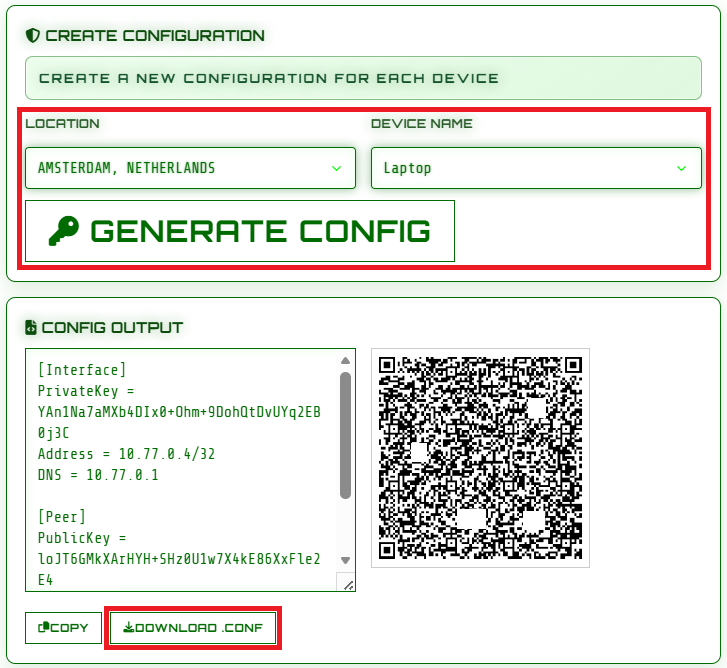
- 3. Select the Location you'd like to use and the Device Name
- 4. Click on Download .conf and save the file.
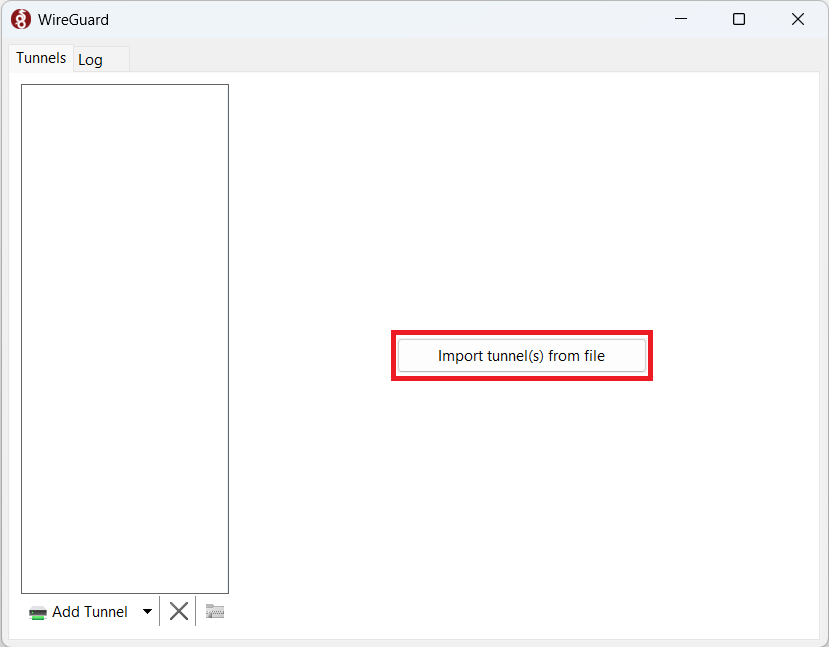
- 5. Click on Import tunnel(s) from file
- 6. Locate the .conf file you just downloaded, select it and hit Open
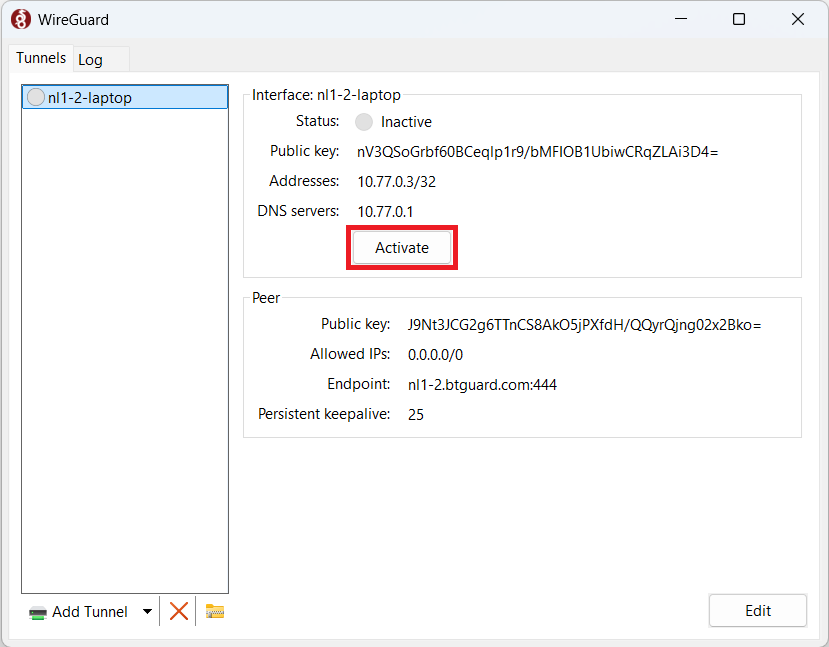
- 7. Hit Activate.
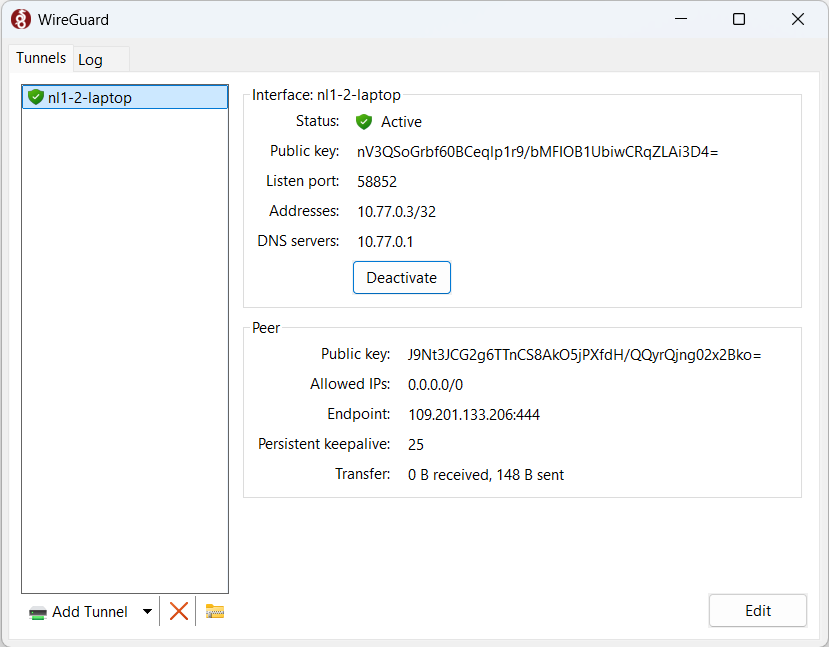
- You are now connected!