 BTGuard
Android
Setup Instructions
- 1. Download and install wireguard on your phone.
- 2. Go to the wireguard config generator from another device if possible. (not necessary but slightly faster)
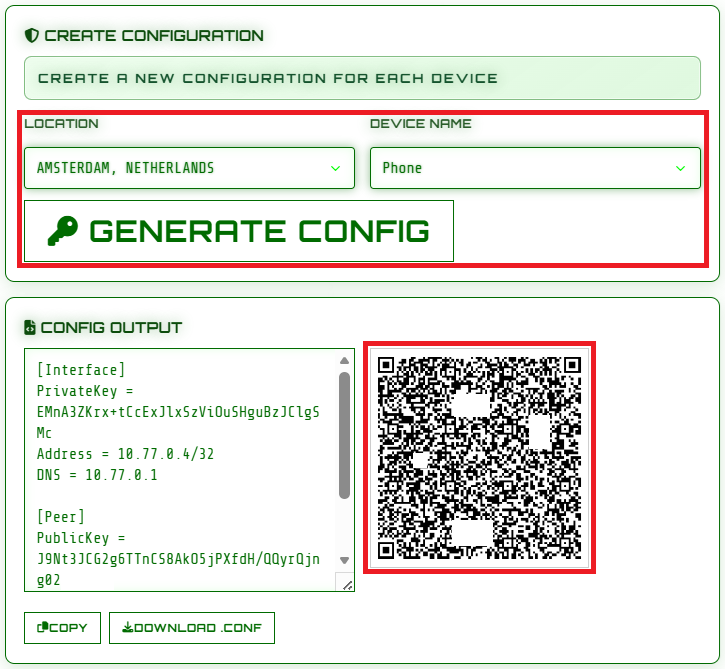
- 3. Select the Location you'd like to use and the Device Name
- 3b. If you are on your phone, hit Download .conf
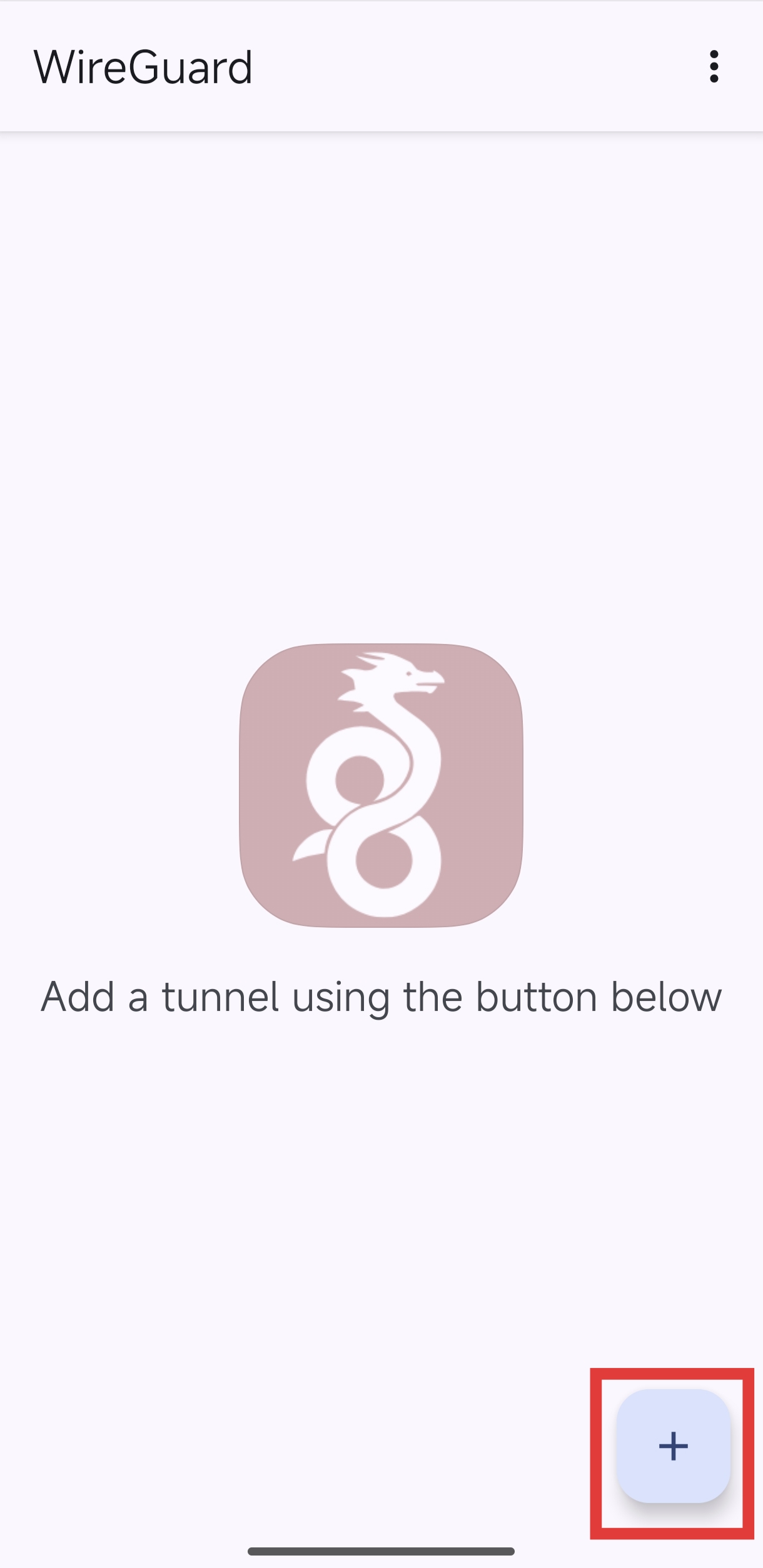
- 5. Tap on the + sign in the bottom right corner.
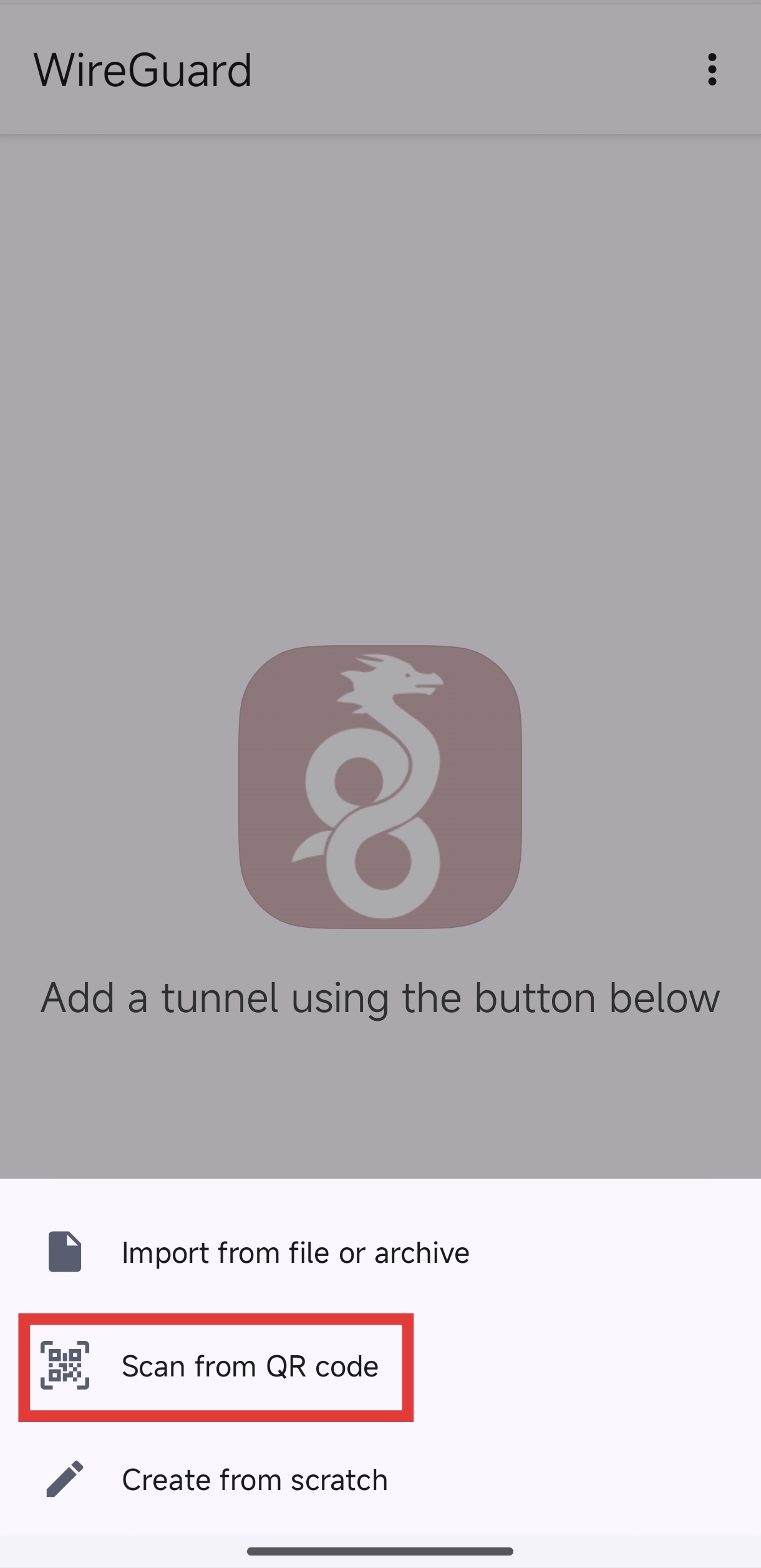
- 6. Tap on Scan from QR Code
- 6b. If you did step 3 on your phone, tap Import from file or archive and select the file you just downloaded
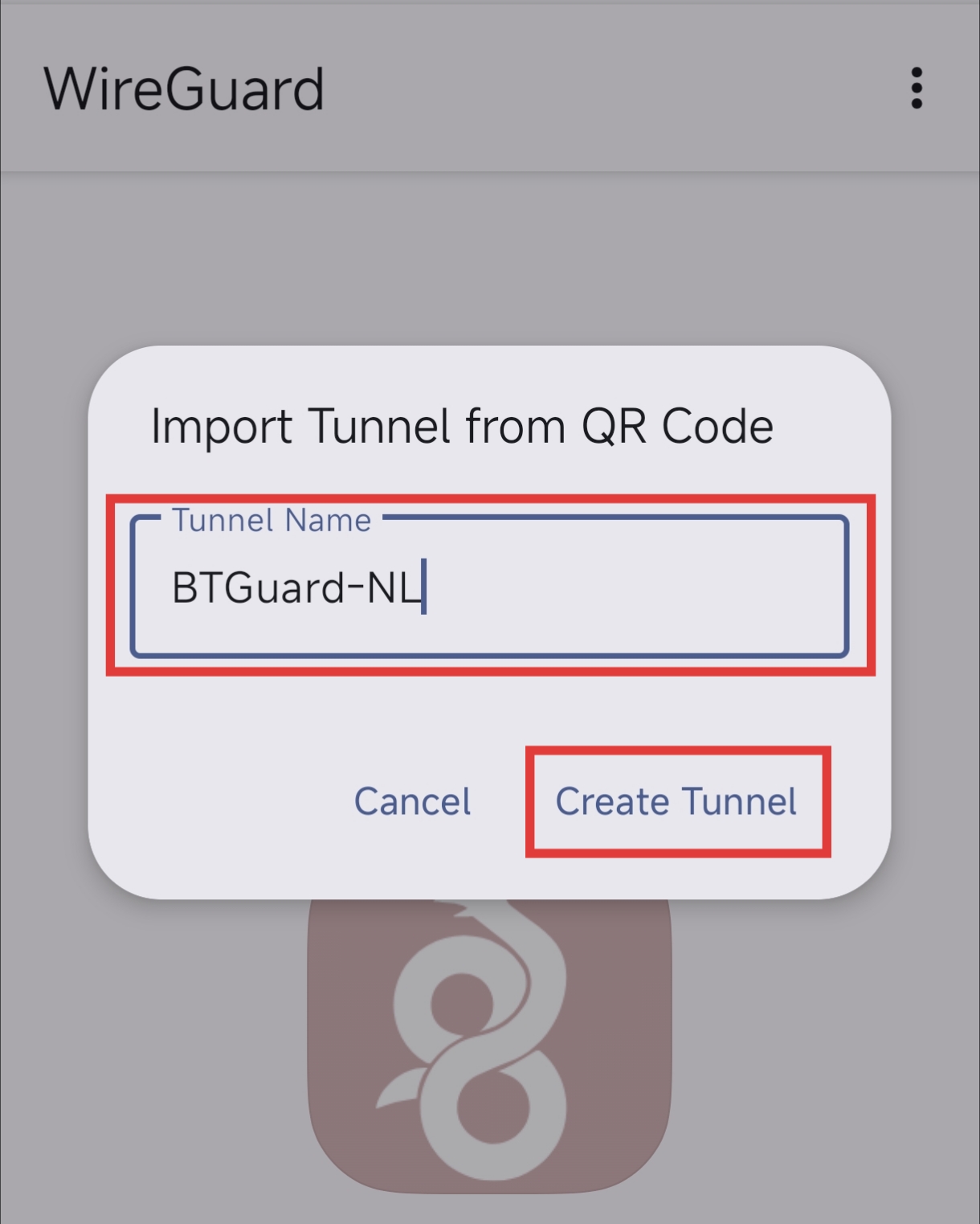
- 7. Type in whatever name you want and hit Create Tunnel
- 7b. If you did step 3 on your phone it is named automatically.
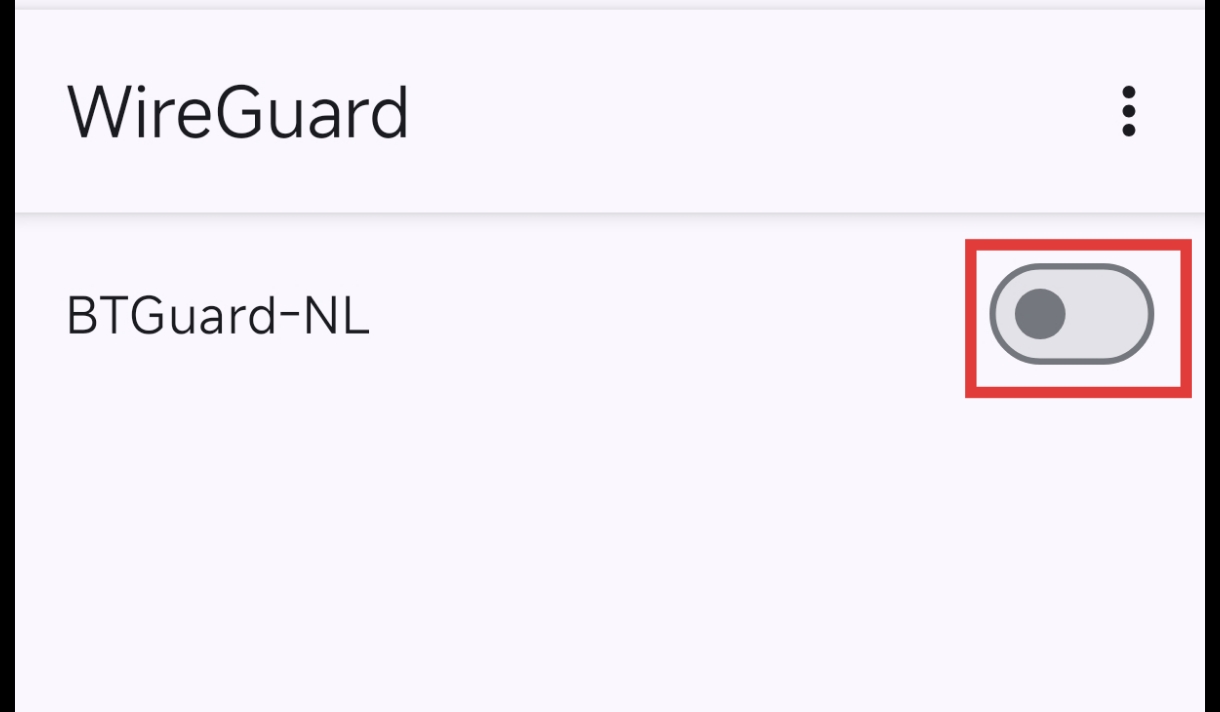
- 8. Tap on the pill icon to connect.
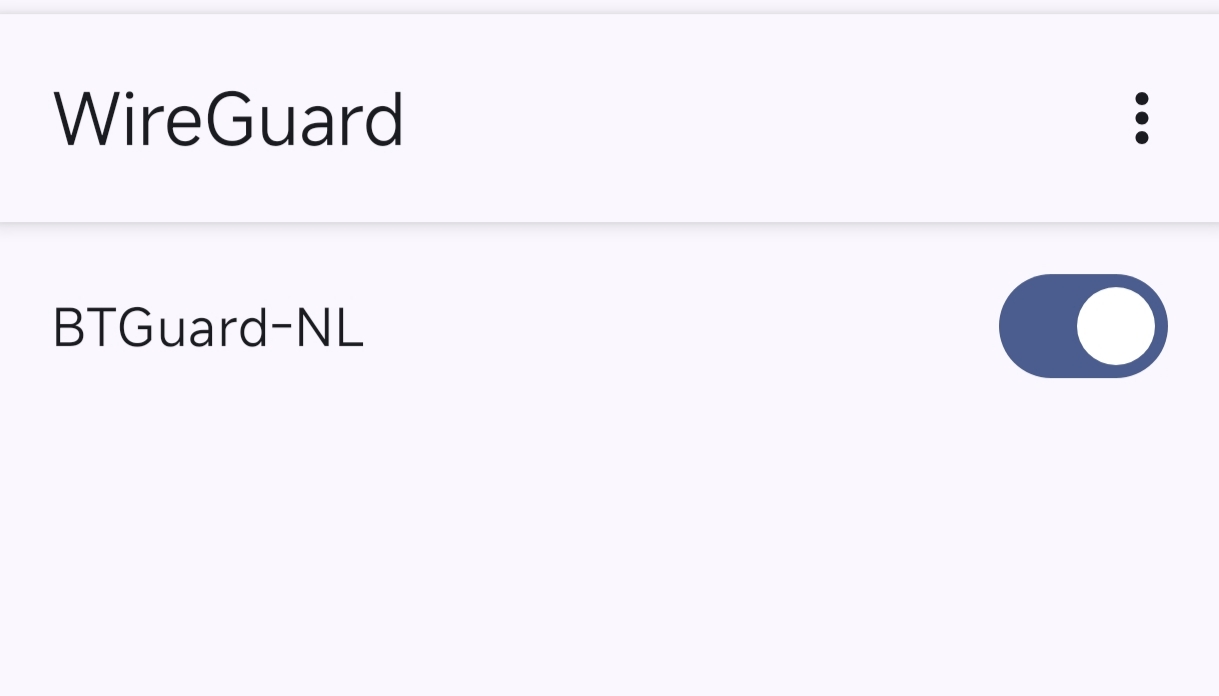
- You are now connected!