 BTGuard
Windows
Setup Instructions
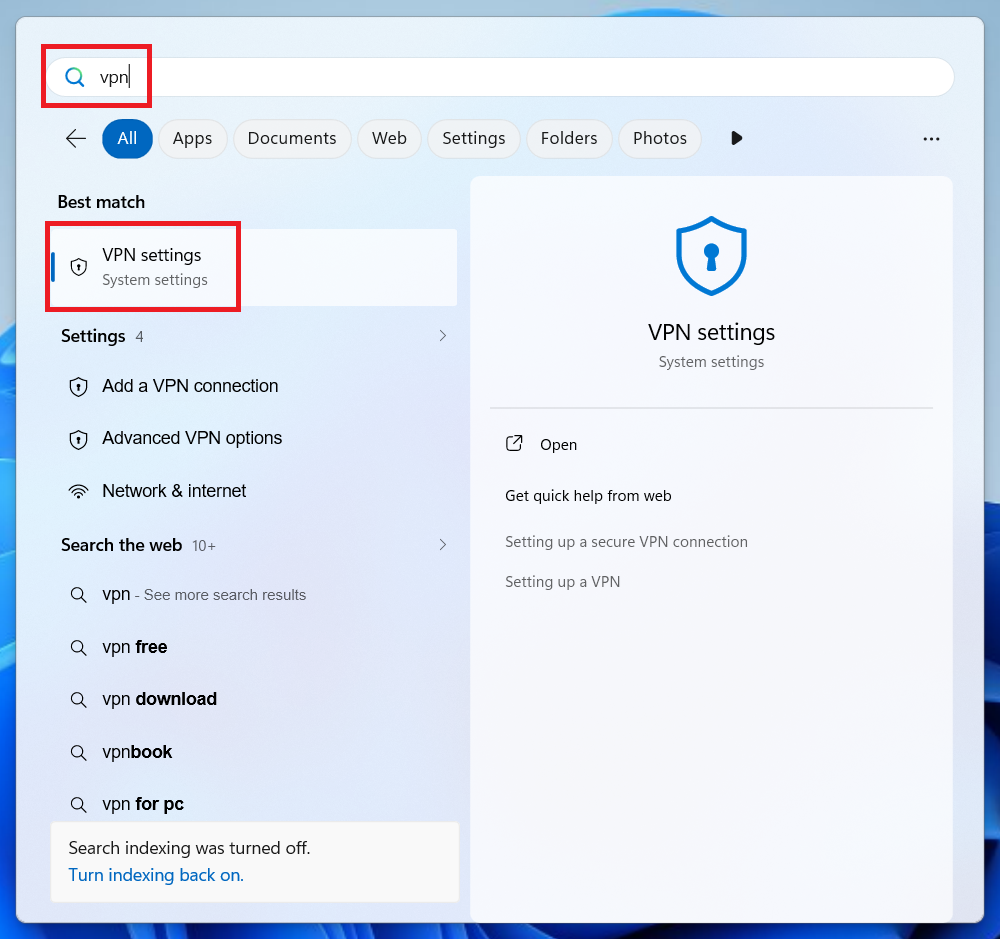
- 1. Hit the Windows Key and type in VPN
- 2. Select VPN Settings
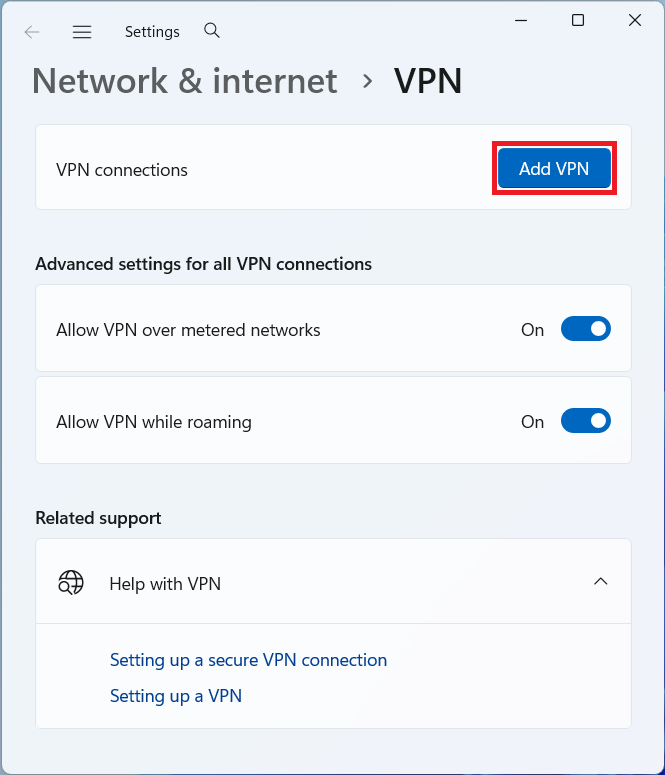
- 3. Click on Add VPN
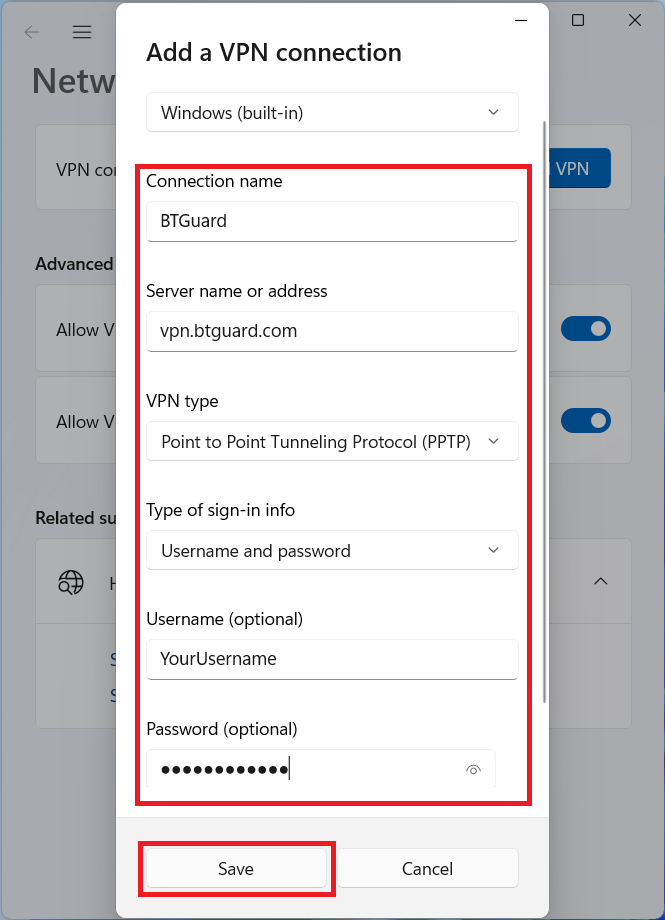
- 4. Fill in the following:
Connection name: BTGuard (You can name it whatever you want)
Server name: vpn.btguard.com
You can also try with eu.vpn.btguard.com or ca.vpn.btguard.com or sg.vpn.btguard.com
VPN Type: Point to Point Tunneling Protocol (PPTP)
Type of sign-in info: Username and password
Username: YourUsername (This is NOT optional)
Password: YourPassword (This is NOT optional)
Both username and password are case sensitive. Make sure not to add/forget Capital Letters. - 5. Hit Save.
How To Connect
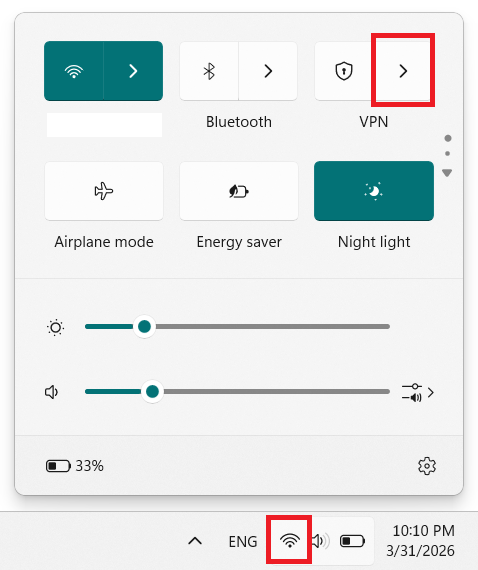
- 1. Select the Network Icon in the Windows system tray
- 2. Click on the arrow above VPN
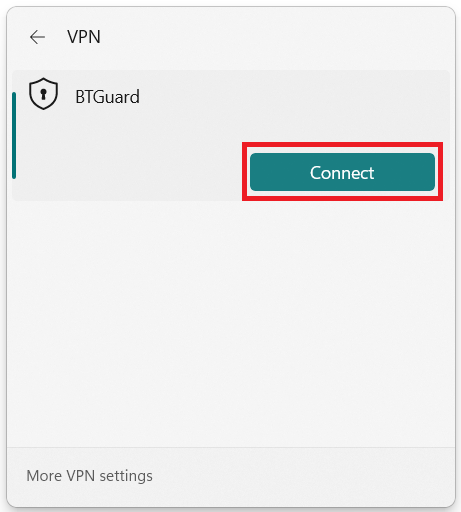
- 3. Hit Connect.
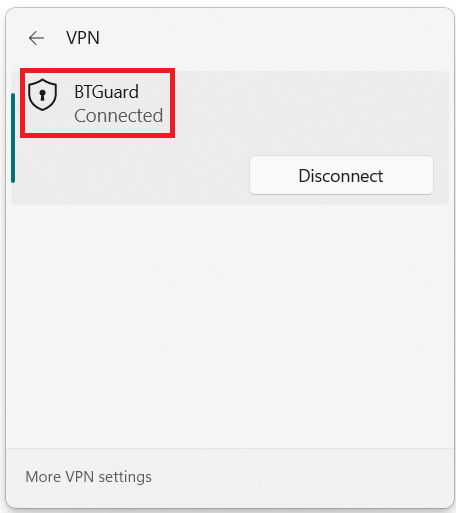
- You are now connected!