 BTGuard
Android
Setup Instructions
- 1. Download and install OpenVPN Connect.
- 2. Download the BTGuard Configuration Files.
- 3. Unzip openvpnconnect-config.zip
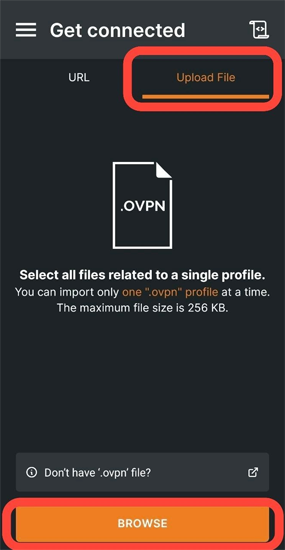
- 4. Open OpenVPN Connect.
- 5. Select Upload File and BROWSE.
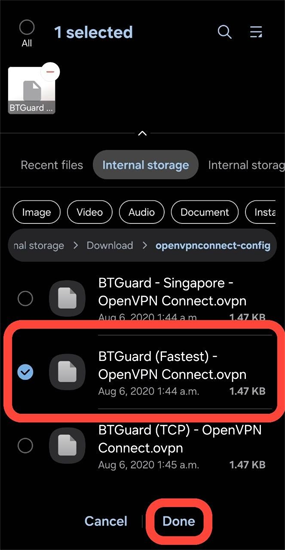
- 6. Browse to the folder where the configuration files are located. Tap on the server you wish to connect and hit Done.
- 7. Import .ovpn profile? Select OK.
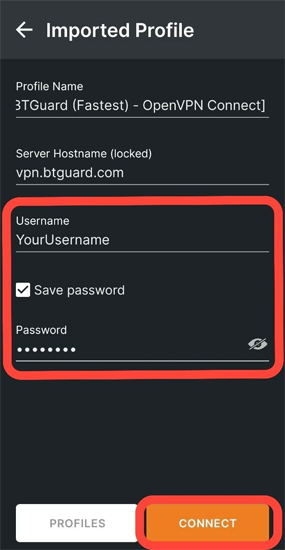
- 8. Fill in your Username, check Save password, and fill in your Password.
- 9. Hit CONNECT.
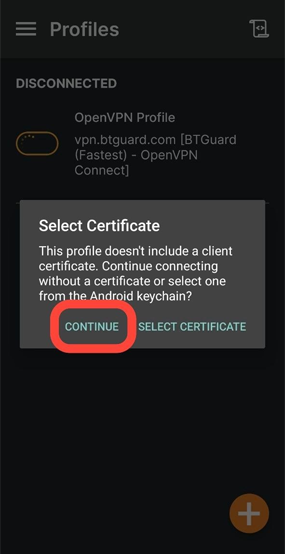
- 10. Select CONTINUE.
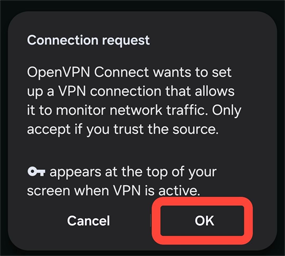
- 11. Select OK.
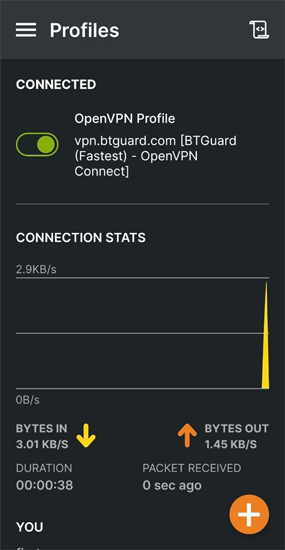
- You are now connected!